All Features at a Glance

Schedule a demo
1
Claims Intake & Case Management
AI

Automatic claims receipt

Automatically process incoming claim documents using AI and record them in the system
Creation of damage after inspection possible with one click
Reduce the manual effort involved in creating claims to a minimum

Disposition

Smart allocation and control of claims for optimal settlement
Connecting insurers, internal adjusters and external organizations
Automatic disposition for over 95% of all claims

Trip Planning

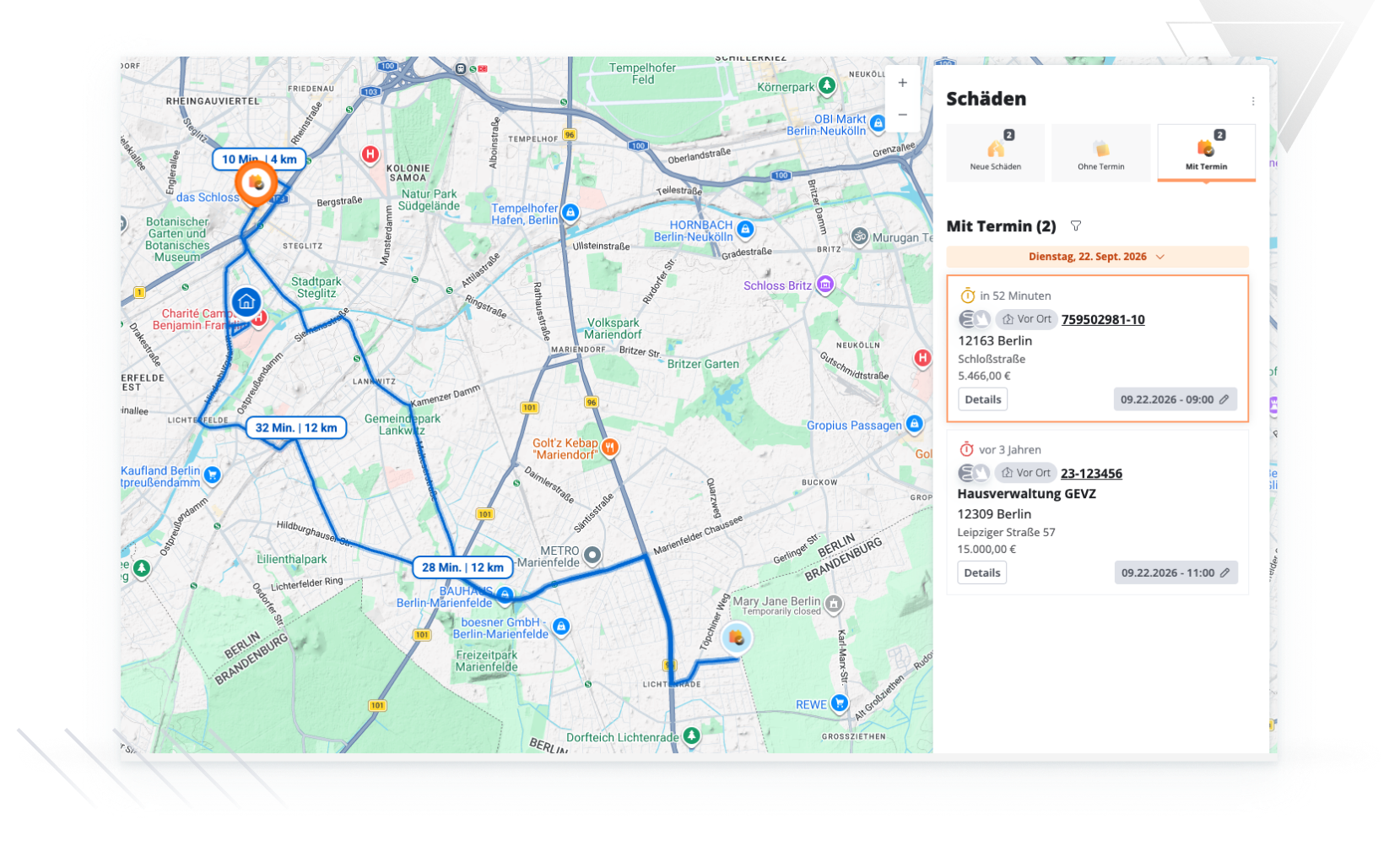
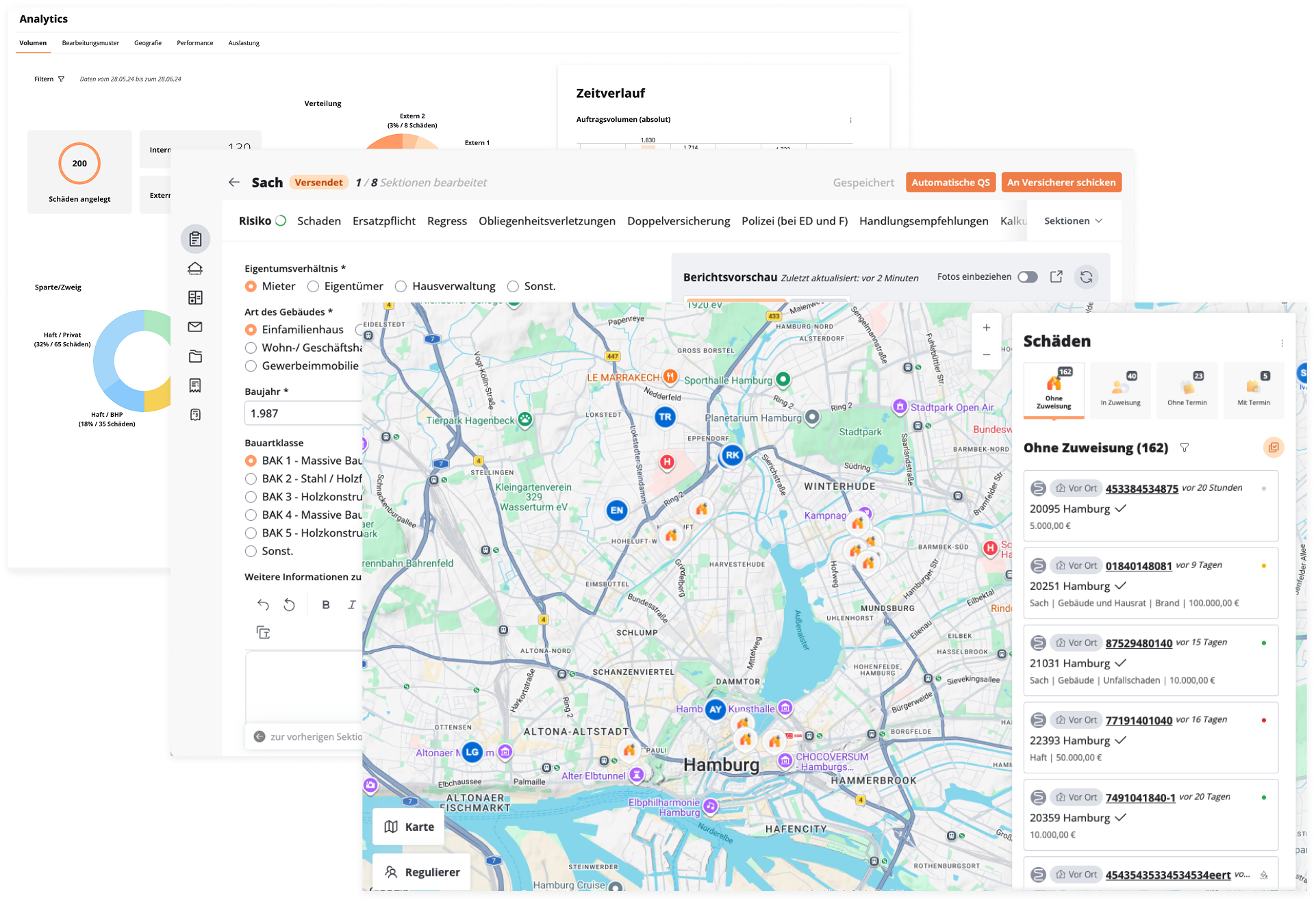
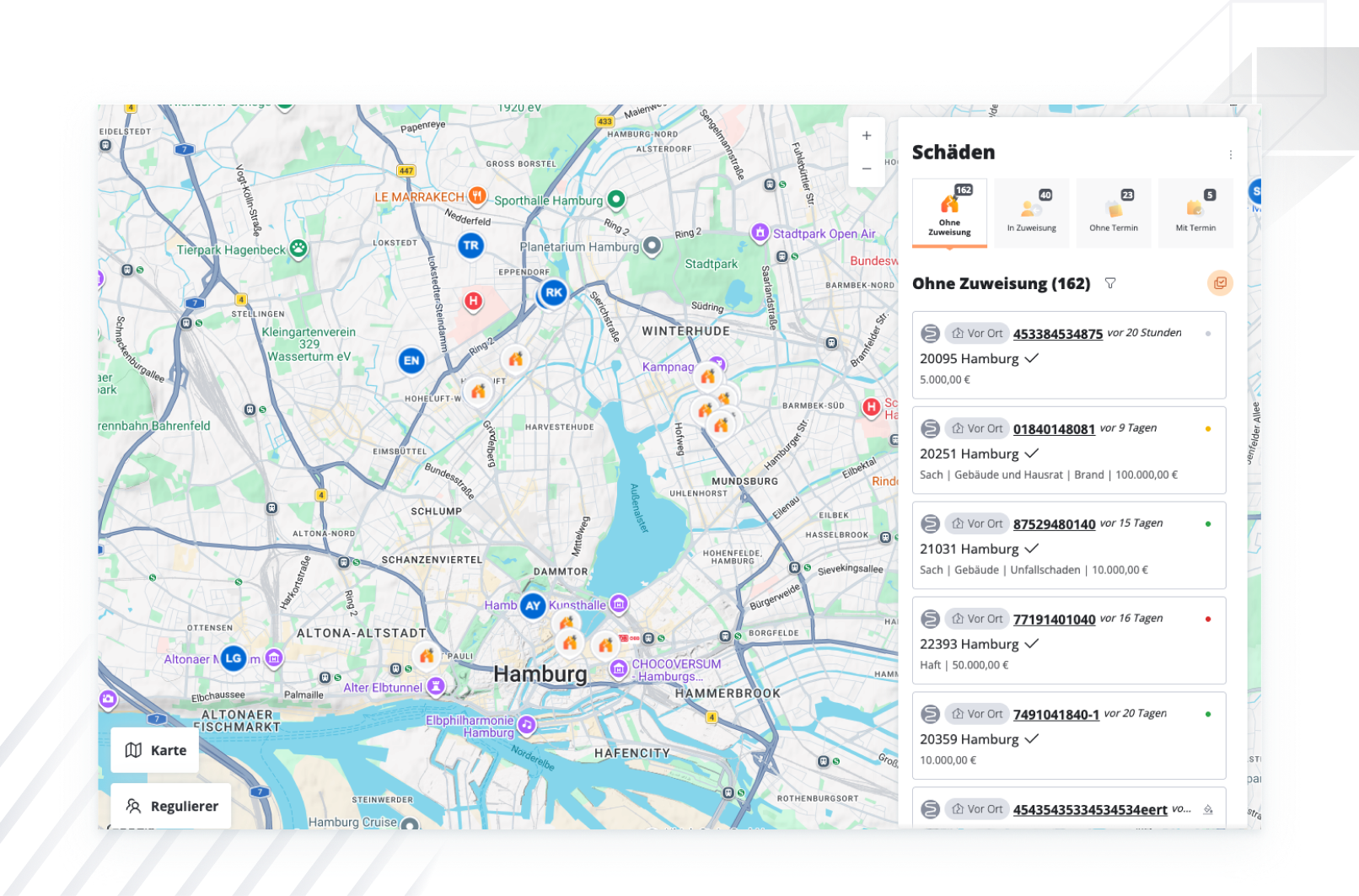
New claims, open service requests, and confirmed appointments all on one map
Group sightseeing stops along the route and check travel times before confirming the itinerary
Capacity utilization and travel time limits are factored in as parameters in the allocation of damage

Scheduling

Optimum scheduling thanks to an overview of all assignments
Management of appointments in the familiar environment (e.g. Outlook) possible
2
On-site recording
AI

Voice Input

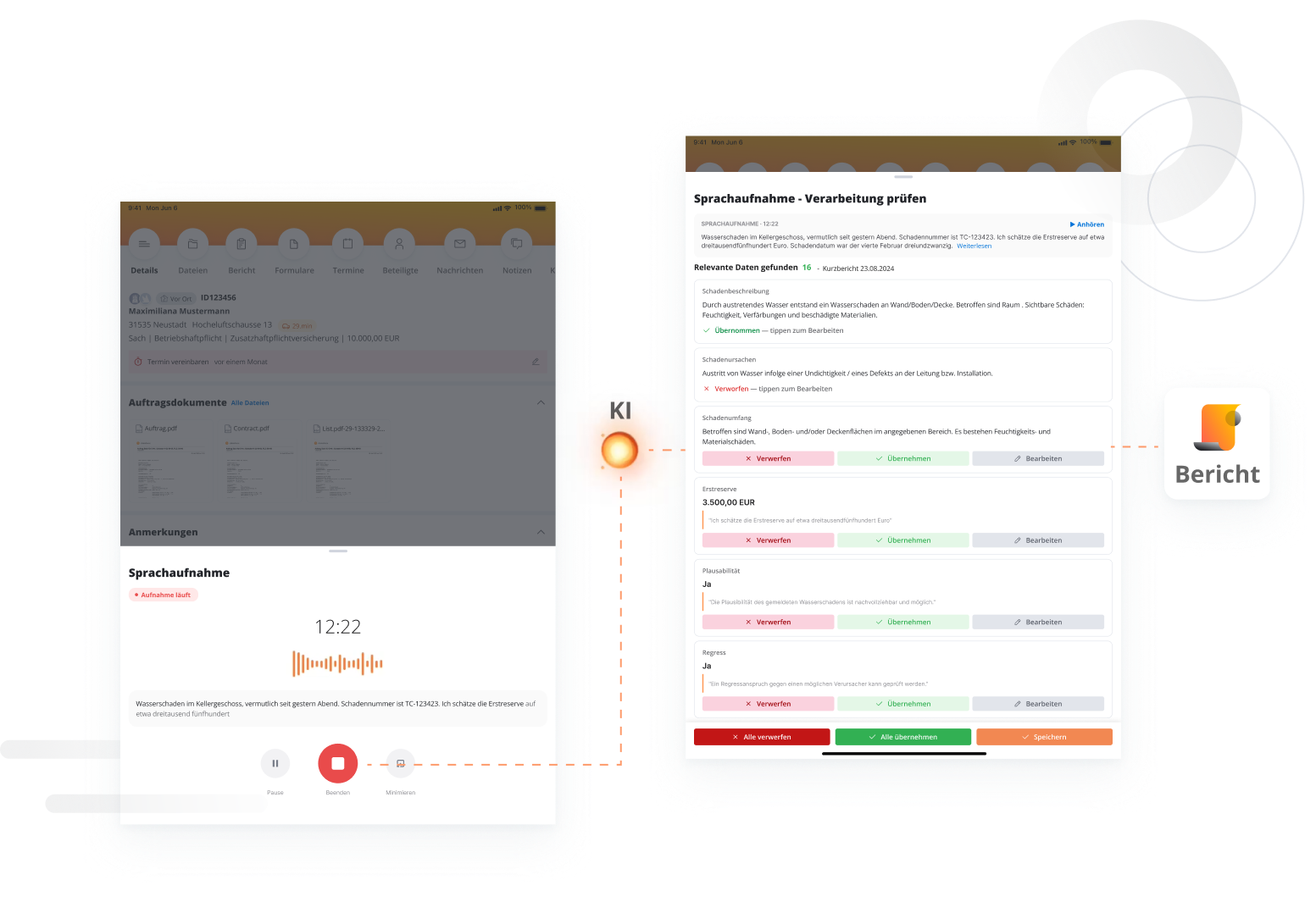
Record damage on-site using voice recording or upload existing audio files
AI automatically populates the fields of the appropriate report template with the transcript
Each recognized value is proposed for review and is either accepted or rejected individually

Floor Plan

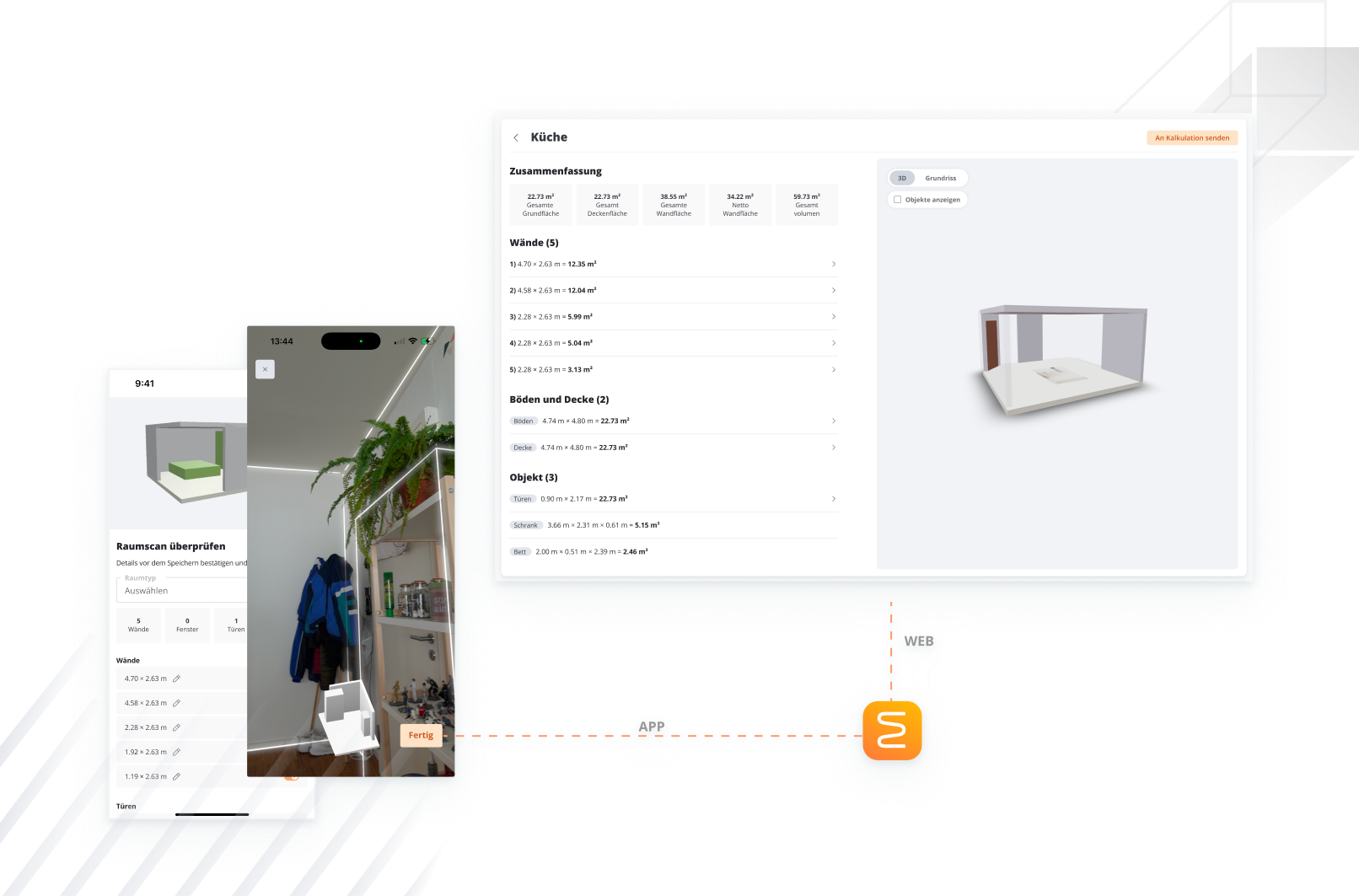
Automatically capture floor, wall, and ceiling areas, as well as the volume of rooms, by scanning with a mobile device
Mark damage directly on the surface, including the type of damage, material, and age
Export the floor plan as a PDF and transfer all quantities to the estimate with a single click

Photo Documentation

Extensive functionalities for taking, editing and managing photos
Smart photo documentation with intelligent annotation and editing functions

Mobile App

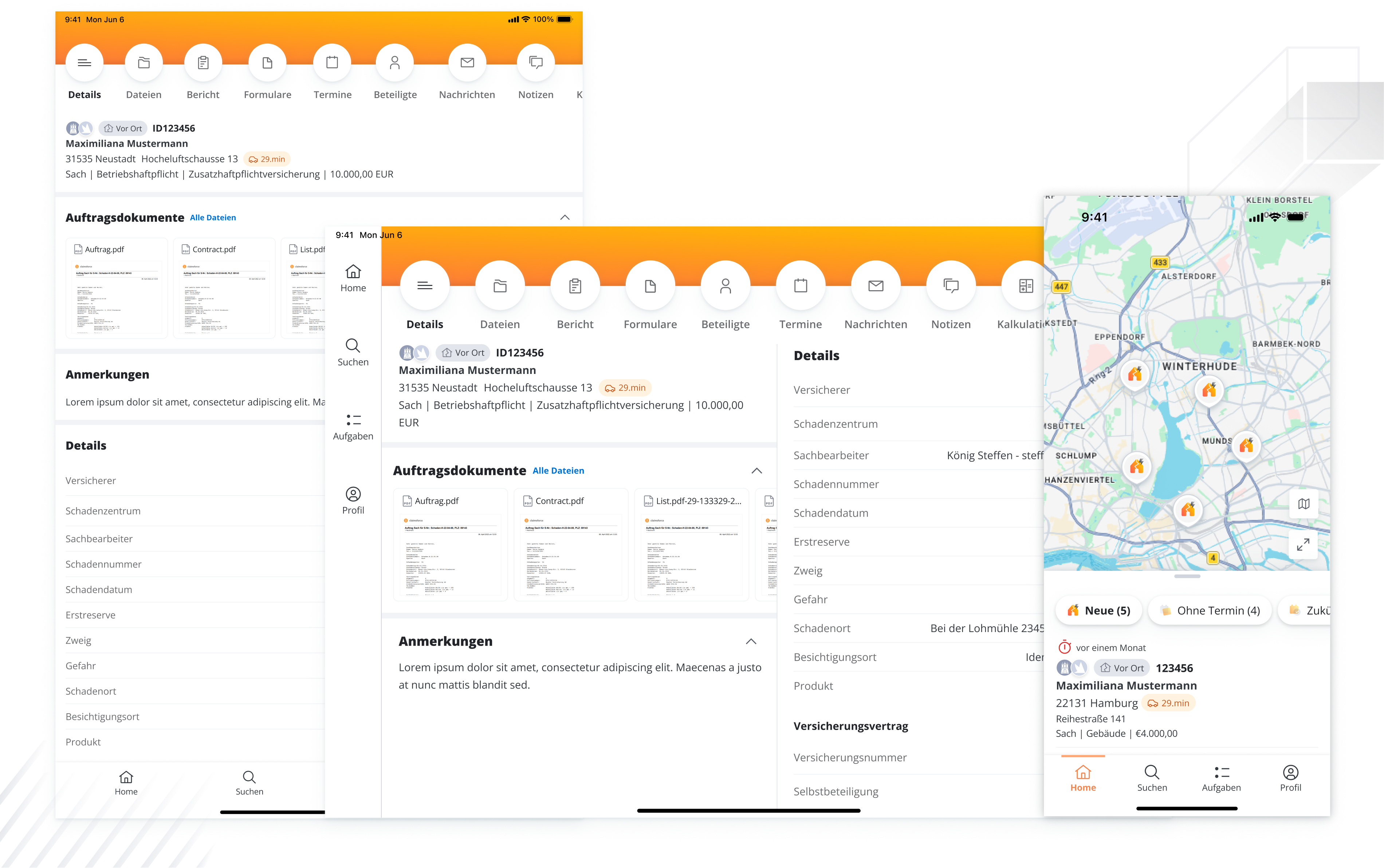
Use the app on the go to take photos, scan documents, measure rooms, and calculate costs
Load claims data onto the device in advance and work seamlessly even without an internet connection
Pending uploads will be transferred automatically as soon as a network connection is available again
3
Review & Report

Calculations

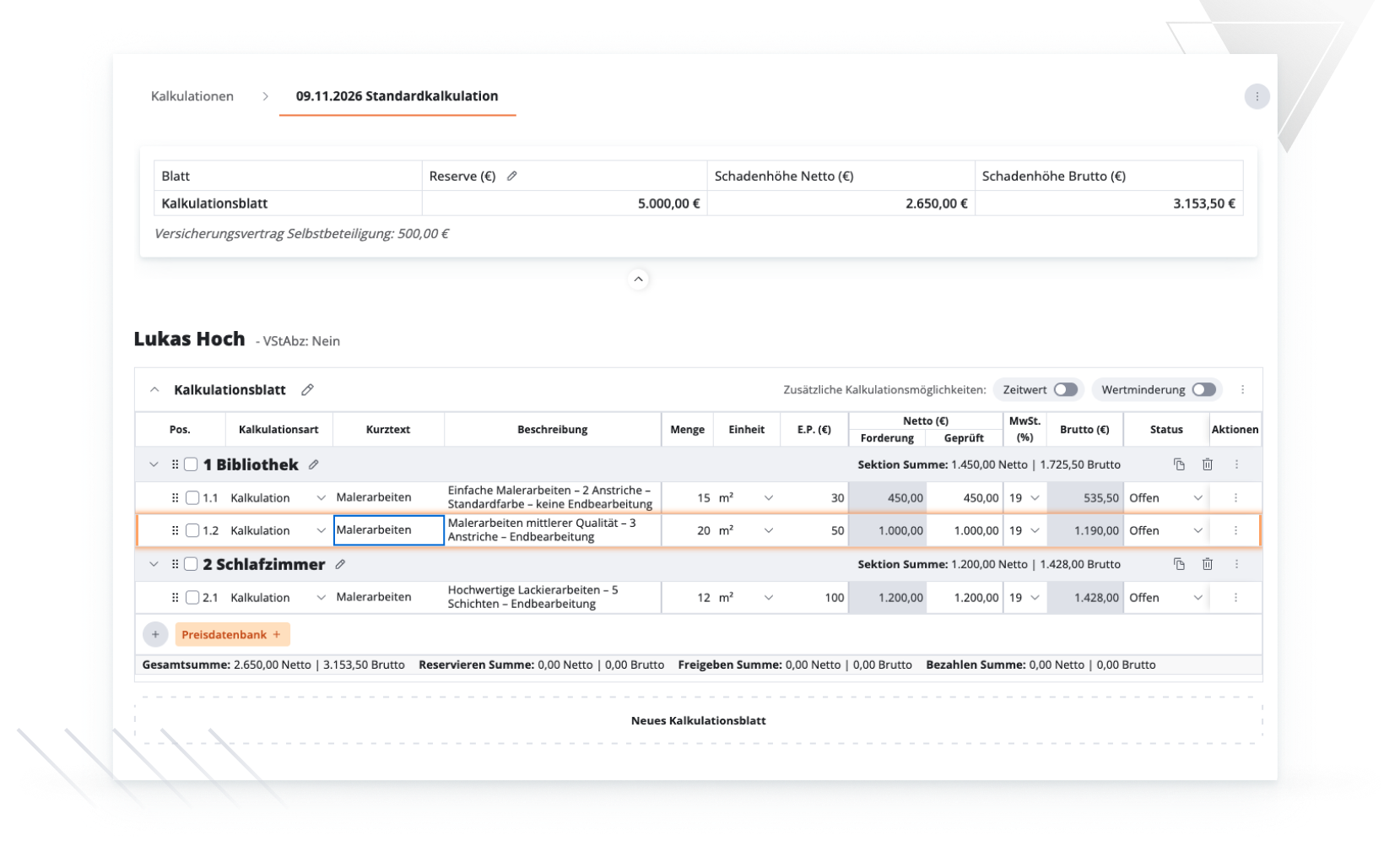
Convert cost lines into quotes, invoices, in-house services, or fictitious statements—or start directly from an existing quote
Import items from central price databases, organized by trade and room
Current value, depreciation, regional factor, and input tax deduction are reflected in each line item—reserves are automatically generated from these, and each cost estimate version remains traceable in the timeline

Reports & Forms

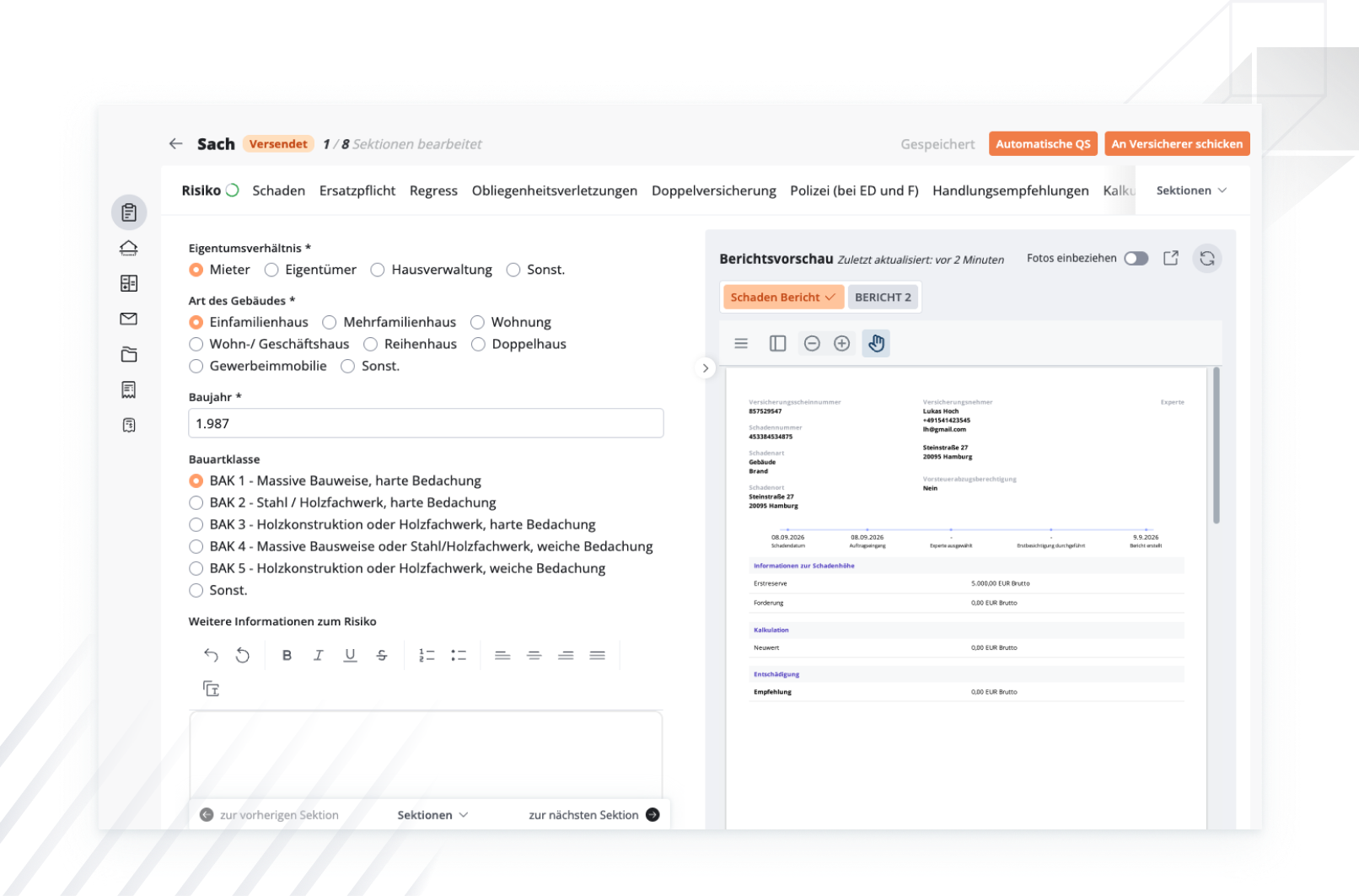
Access to standard forms and the option to create your own forms
Dynamic report generation and the creation of various report templates for annual and interim reports, supplementary reports, etc.
Create and automatically send reports with just one click
AI

Quality Assurance

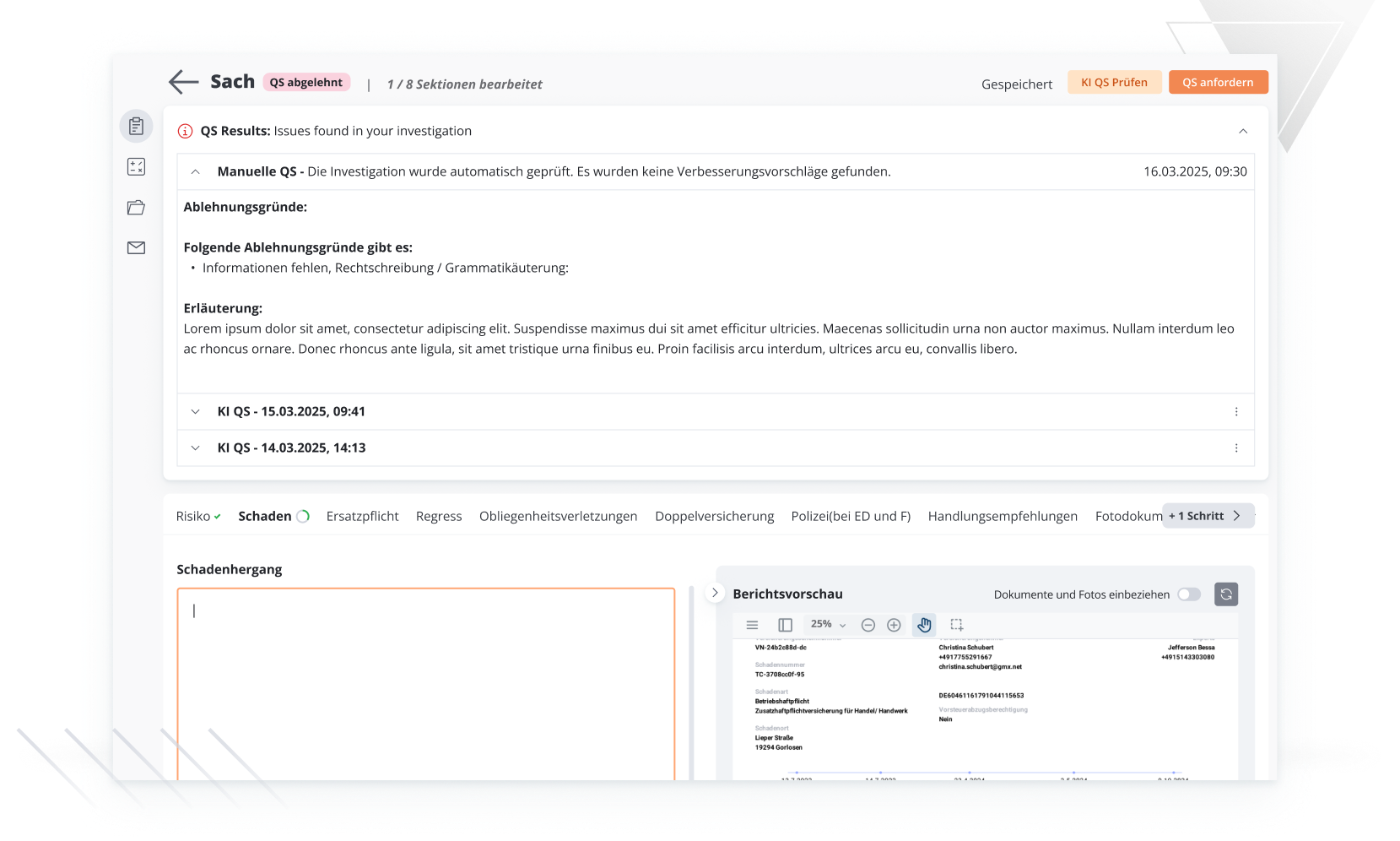
Defined QA workflow prior to shipment, with the statuses “In QA,” “QA Rejected,” and “Ready for Shipment”
AI-QS automatically checks every report for completeness and plausibility before it is approved
Additional manual quality assurance based on the dual-control principle: a second person reviews and approves the work
4
Billing & Reporting

Finance

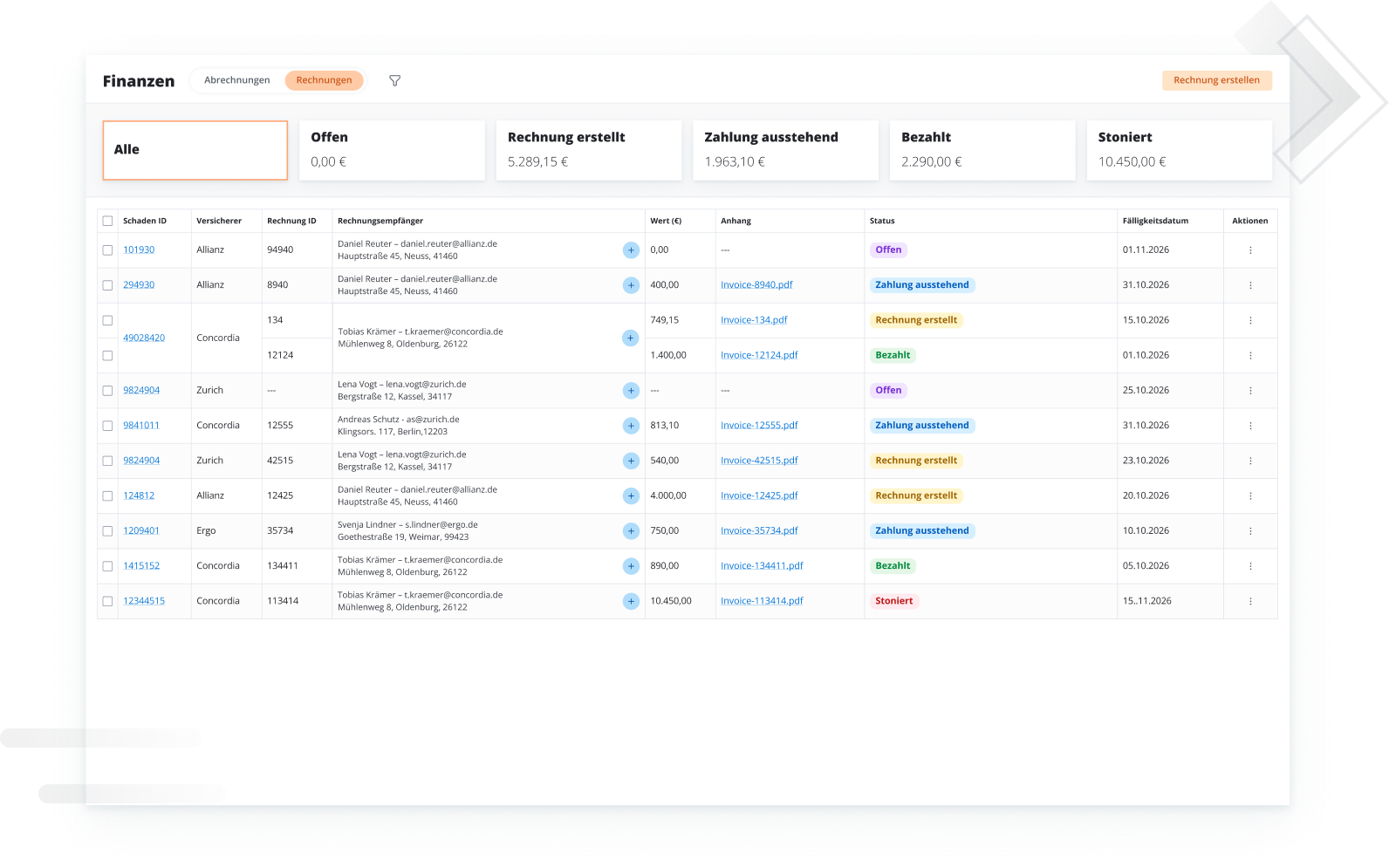
Time and mileage tracking by activity, recorded automatically via a timer or manually afterward
Fees based on a flat rate, hourly rate, or individual agreement—prices are valid as of the effective date
Create, split, send, and track individual and consolidated invoices until payment is received
Expense Overview with an Approval Workflow Involving the Claims Adjuster, the Claims Department, and the Insurer

Damage history

Simple tracking and insight into the processing status of external claims
Detailed information on damage details, such as amount of damage and dates
Management and optimization of cooperation with external claims settlement organizations

Analytics

Comprehensive overview of all internal and external claims and KPIs by region, risk and line of business
State-of-the-art dashboards with real-time data for optimal damage control
Simulation abilities to help with decision-making and optimization
5
Records & Collaboration

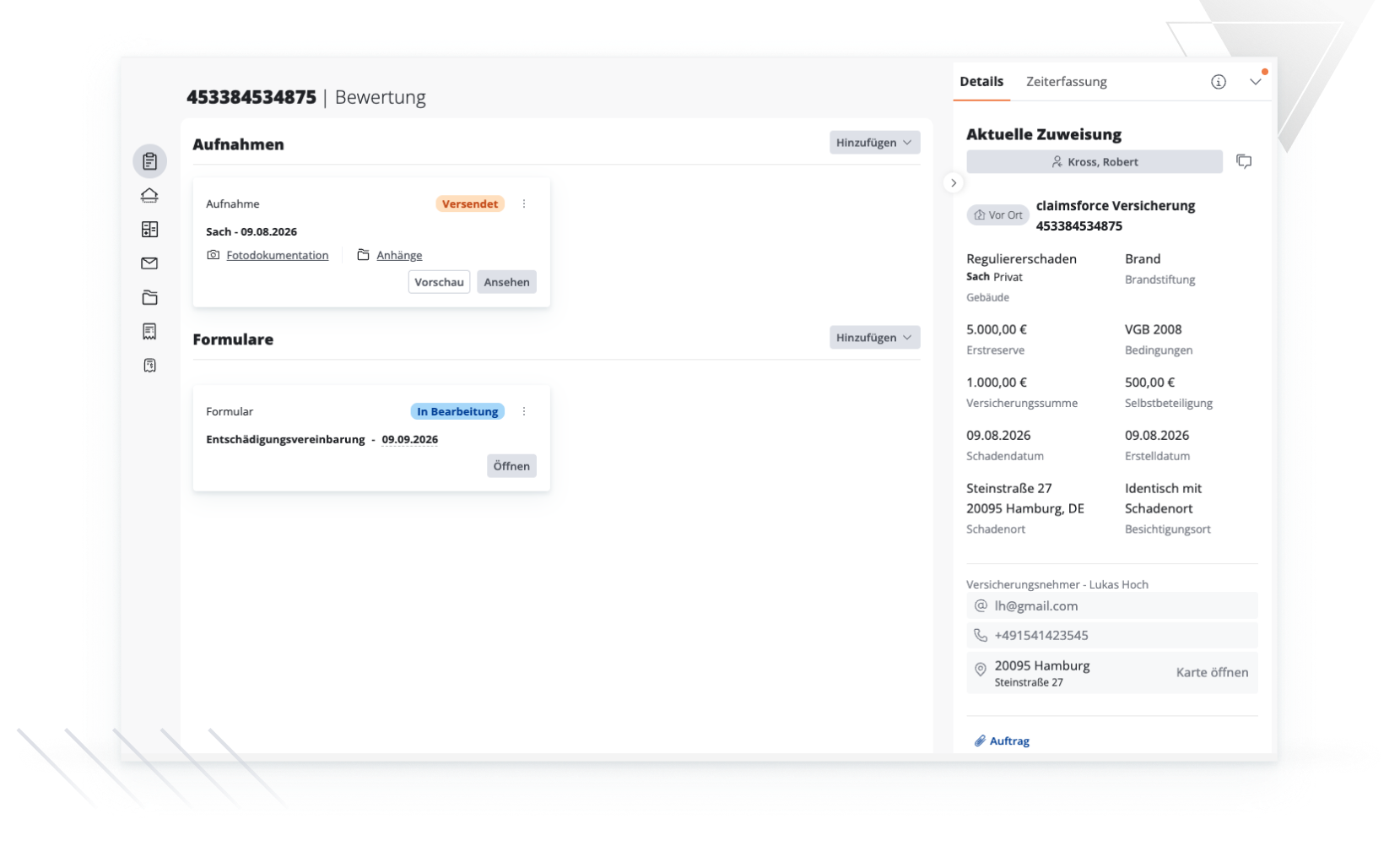
Claims processing

Efficient claims processing with optimal organization of all open and processed claims
Efficient claims processing for internal and external adjusters using automated processes
Optimal communication between all parties involved in the claim

Responsibilities & SLA

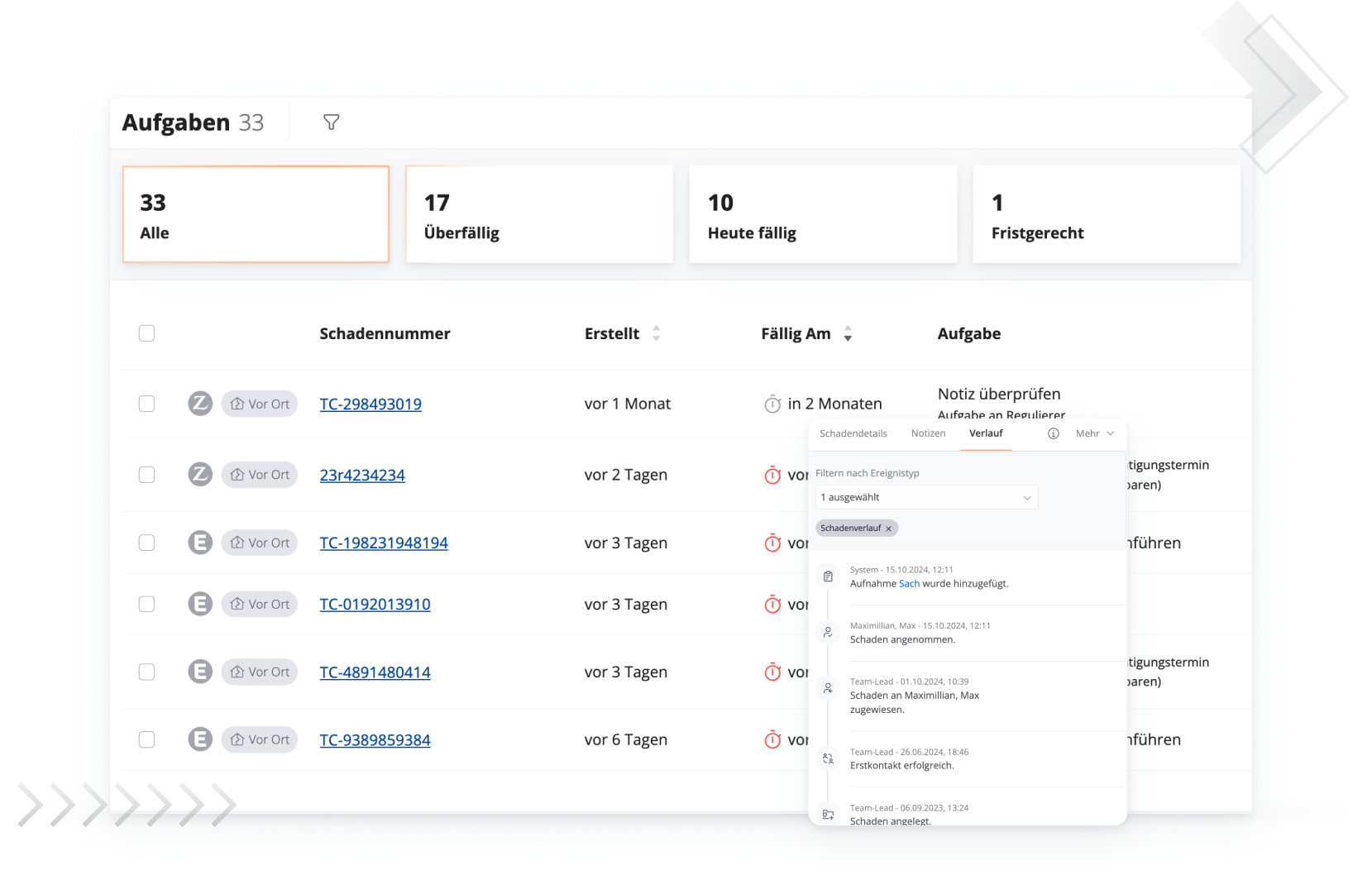
Comprehensive overview of open tasks for all claims and associated service levels
Timely processing of to-do's with the help of consistent SLA management
Automatic notifications about new requests, deadlines and overdue tasks

News Center

Central location for external communication in a claim
Write and send new emails directly in the claims file
Simply drag and drop existing emails from personal mailboxes into claimsforce

Files & Documents

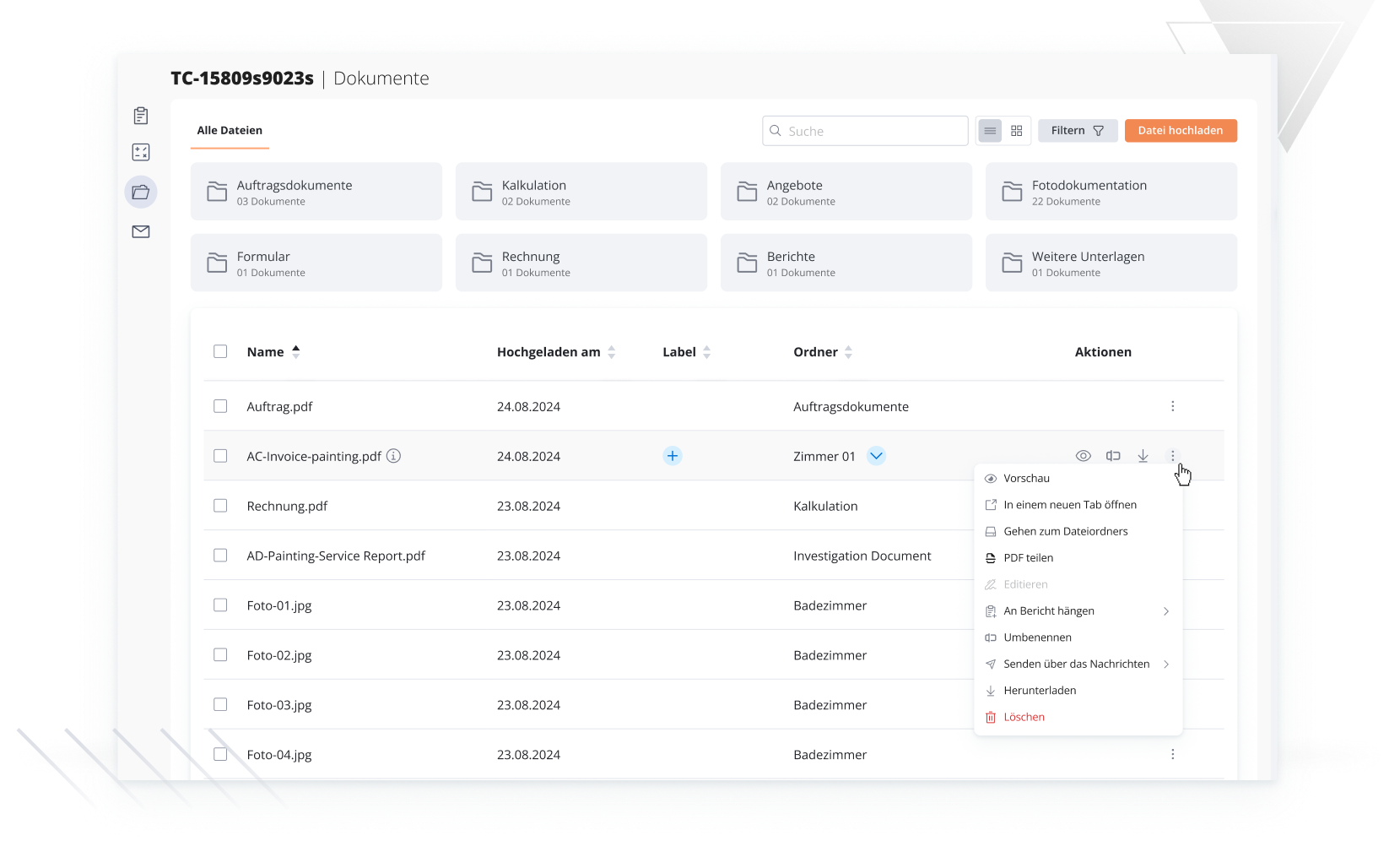
Order documents, images, reports, and forms in a structured filing system
Control visibility per document—public or for internal use only
Import documents directly from the file into messages, reports, and cost estimates

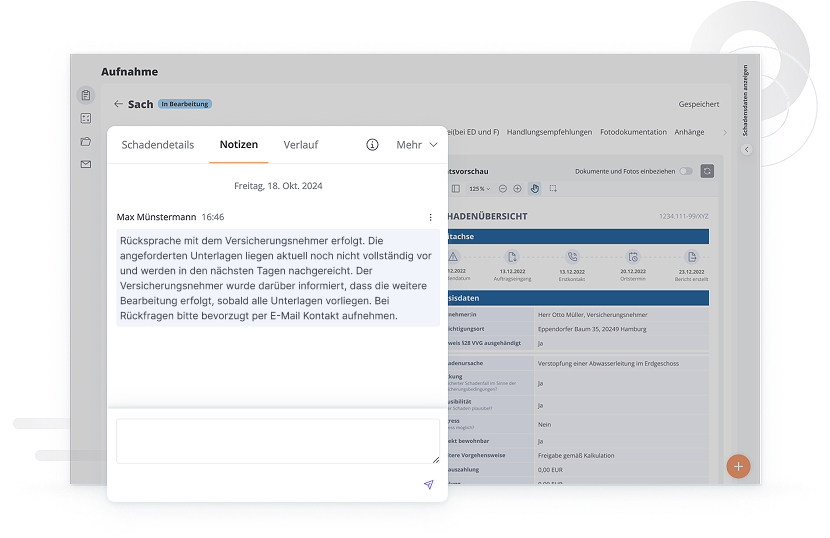
Cross-team collaboration

Keep an eye on all information and communicate seamlessly with all involved parties in one channel
Office staff, claims processors, and claims adjusters can all access the same file at the same time
Simple integration of e.g. retail partners with specific access rights
Learn About ClaimsForce
1
Contact us
Let us know you are interested in testing out claimsforce software
Contact us
2
Demo
Get a detailed tour of claimsforce software and funcitonalities free of charge.
1
Test phase
If you want to go a step further, you can test claimsforce software in your organization for a limited period of time.
2026 claimsforce. All rights reserved.
EUROPEAN UNION European Regional Development Fund